~/.cache is a hidden folder in your home folder where command-line tools keep files they can download or build again. It's the Linux convention, so tools like uv, Hugging Face and Puppeteer use it on a Mac, while Mac apps use ~/Library/Caches. Most of it is safe to delete, folder by folder. Don't delete all of it at once: on my Mac it held 25 GB, and 18.4 GB of that wasn't cache at all but working copies of code, 8 with uncommitted changes.
If you'd rather use an app, see Mac cleaners for developers, and which ones delete to the Trash.
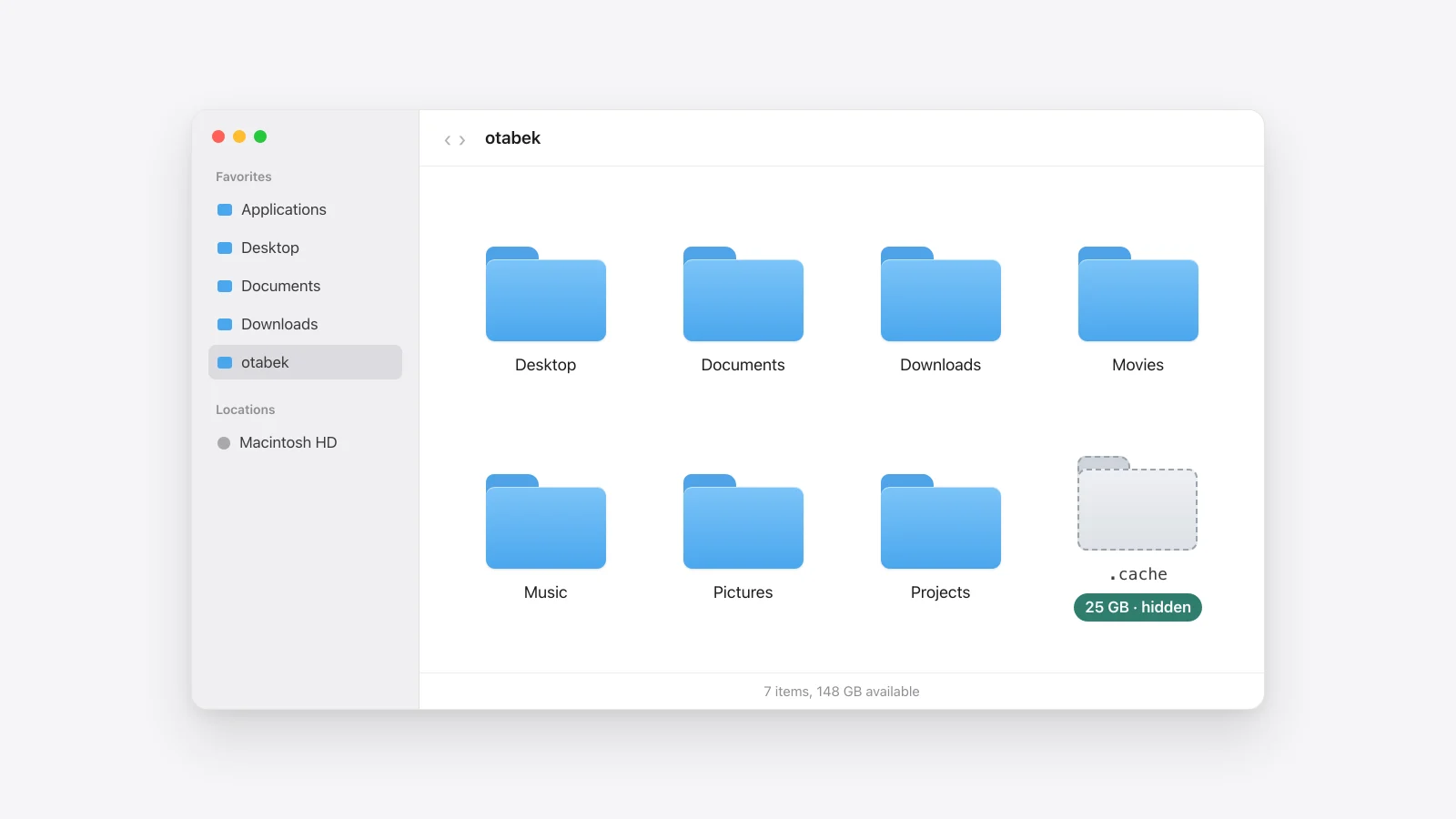
What ~/.cache is
Finder hides every file and folder whose name starts with a dot, so most people never see this one. It sits next to Desktop and Documents in your home folder.
The name comes from the XDG Base Directory specification, a convention from Linux. It says programs should keep "user-specific non-essential (cached) data" in the folder named by $XDG_CACHE_HOME, and in ~/.cache when that isn't set. Many command-line tools are written for Linux first and keep the same layout on a Mac.
So a Mac ends up with two cache folders:
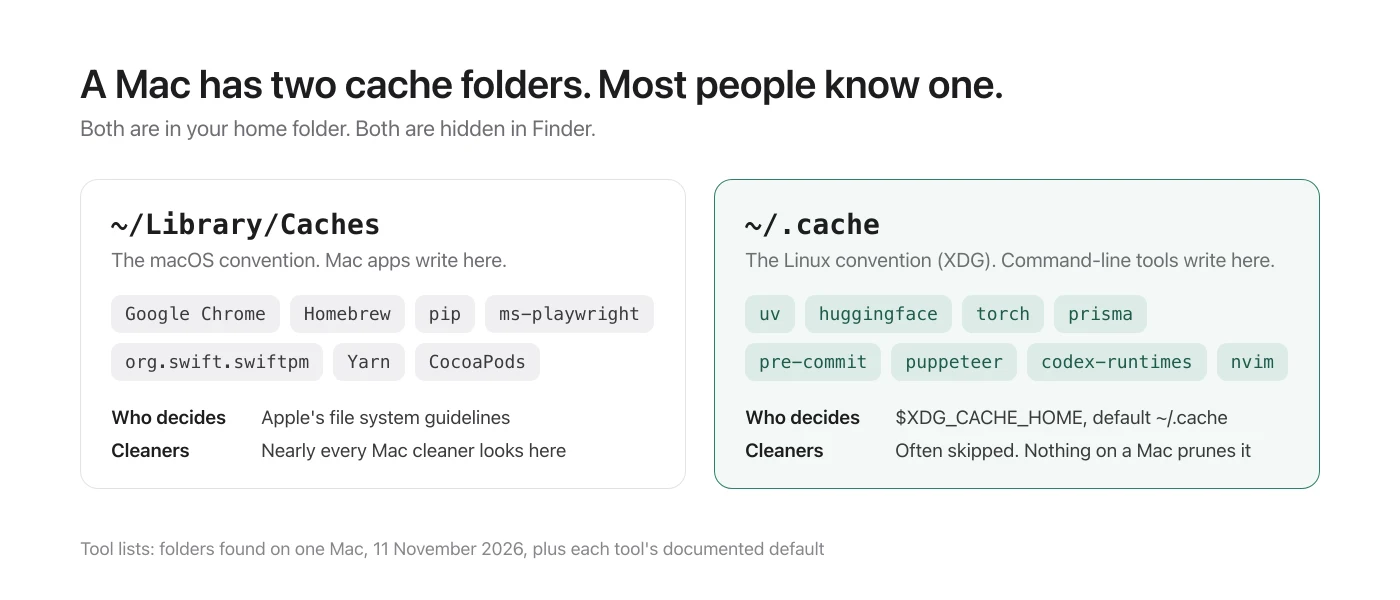
~/Library/Caches | ~/.cache | |
|---|---|---|
| Convention | macOS | Linux (XDG) |
| Who writes there | Mac apps, plus Homebrew, pip, Playwright | uv, Hugging Face, PyTorch, Prisma, pre-commit, Puppeteer |
| Hidden in Finder | Yes (the Library folder is hidden) | Yes (dot folder) |
| Emptied by macOS | No | No |
See what's in yours
These only read, so they're safe to run:
$ du -sh ~/.cache
$ du -sh ~/.cache/* | sort -h | tail
To open it in Finder instead, press Command + Shift + Period in your home folder to show hidden files, or choose Go › Go to Folder and type ~/.cache.
Here's mine on 11 November 2026:
$ du -sh ~/.cache
#  25G  ~/.cache
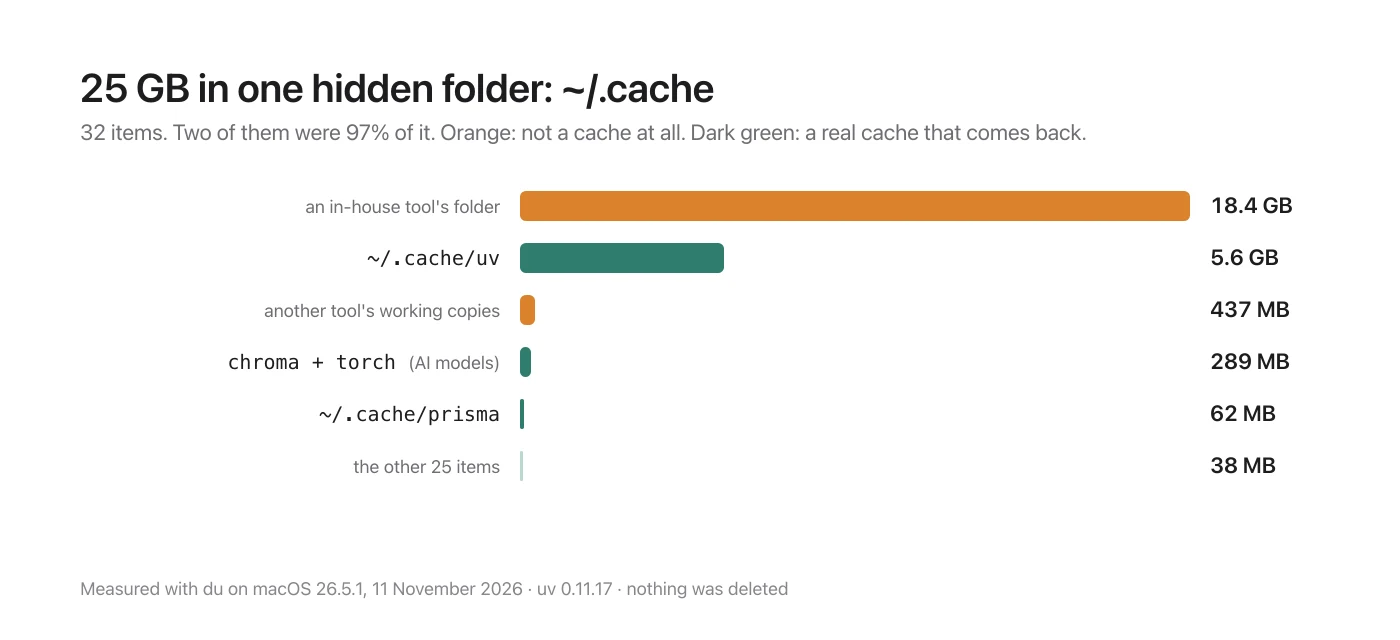
32 items, and two of them were 97% of it:
| Folder | Size | What it is |
|---|---|---|
| an in-house tool's folder | 18.4 GB | Working copies of code. Not a cache |
uv | 5.6 GB | Python packages uv downloaded |
| another tool's working copies | 437 MB | Also not a cache |
chroma, torch | 289 MB | AI model files |
prisma | 62 MB | Prisma's database engines |
| the other 25 | 38 MB | Shell prompt, editor and CLI caches |
Not everything in ~/.cache is a cache
This is the part that matters before you delete anything. The convention says "non-essential", but nothing enforces it. Any script can write to ~/.cache, and some use it as a scratch folder.
My 18.4 GB folder belonged to a tool that checks out copies of a code repository to work in. I counted 65 git checkouts inside ~/.cache, and 8 of them had changes that were never committed. rm -rf ~/.cache would have deleted that work with no Trash to get it back from.
This finds git checkouts with uncommitted changes anywhere in the folder. It only reads:
$ find ~/.cache -maxdepth 4 -name .git -prune 2>/dev/null | while read g; do
$   d=$(dirname "$g")
$   [ -n "$(git -C "$d" status --porcelain 2>/dev/null)" ] && echo "uncommitted: $d"
$ done
A folder you don't recognise in ~/.cache isn't safe just because of where it is. Look inside, and find out which tool made it, before it goes.
What's safe to delete, tool by tool
Use the tool's own command when it has one. It knows which files are still in use.
| Folder | Clear it with | Comes back? |
|---|---|---|
~/.cache/uv | uv cache prune (unused entries) or uv cache clean (all) | Yes, on the next install |
~/.cache/huggingface | hf cache commands, see deleting AI models | Only if downloaded again |
~/.cache/torch | Delete hub/checkpoints | Yes, on next use |
~/.cache/pre-commit | pre-commit gc or pre-commit clean | Yes, on the next run |
~/.cache/prisma | Delete the folder | Yes, on the next prisma generate |
~/.cache/puppeteer | Delete the folder | No. Run npx puppeteer browsers install chrome |
~/.cache/codex-runtimes, chrome-devtools-mcp | See AI coding tools disk space | Yes |
Shell and editor caches (p10k-*, nvim, fish, gitstatus) | Leave them. They're tiny | Yes |
uv cache prune is the gentle one: it removes only entries nothing refers to any more. uv cache clean removes everything, and uv downloads packages again the next time you install.
One thing about uv's size: on a Mac, uv doesn't copy packages into each .venv, it clones them from the cache, so the files share disk space. Deleting the cache frees less than du reports while those environments exist. The Python disk space guide explains how to measure it.
For anything that's left, move it to the Trash instead of using rm, so you can put it back:
$ mv ~/.cache/some-folder ~/.Trash/What not to do
- Don't run
rm -rf ~/.cache. It's the usual advice, and it's fine on a machine where every tool follows the rules. You can't know that without looking. - Don't delete it while tools are running. A package install or a model download in progress will fail.
- Don't expect macOS to do it. Storage settings has no row for this folder, and nothing empties it.
Old items are the easy wins. This lists what hasn't changed in 90 days:
$ find ~/.cache -mindepth 1 -maxdepth 1 -mtime +90On my Mac that was 7 of the 32.

For the other cache folder, see every developer cache on macOS. To see where the rest of your disk went, System Data huge on Mac? is the place to start.
Sources
- Measured on this Mac on 11 November 2026 (macOS 26.5.1, uv 0.11.17):
duon~/.cacheand each item in it, a count of git checkouts and of those with uncommitted changes, andfind -mtime +90. Nothing was deleted. - XDG Base Directory Specification (freedesktop.org):
$XDG_CACHE_HOMEand its default,$HOME/.cache. uv cache prune --helpanduv cache clean --help, run locally;uv cache dirprints~/.cache/uv.- pre-commit's documentation for
pre-commit gcandpre-commit clean. - Shedi's rules for uv, Hugging Face, LM Studio, Puppeteer, Codex runtimes and Chrome DevTools MCP.