What's new in Shedi

Every version, what it added and what it fixed. Updates are free for everyone who bought Shedi.

Stable

Shedi 1.1.1

1.1.1

Two fixes from the first week of 1.1.

What's new:

Bug fixes

  • Cleaning pnpm's store works again. Before, it stopped with “pnpm reported an error” and pnpm's packages stayed.
  • The Overview no longer says “0 bytes is safe to clean right now” when nothing safe is left to clean.
Stable

Shedi 1.1

1.1.0

The Box comes alive, Shedi finds a lot more, and the uninstaller gets its own page.

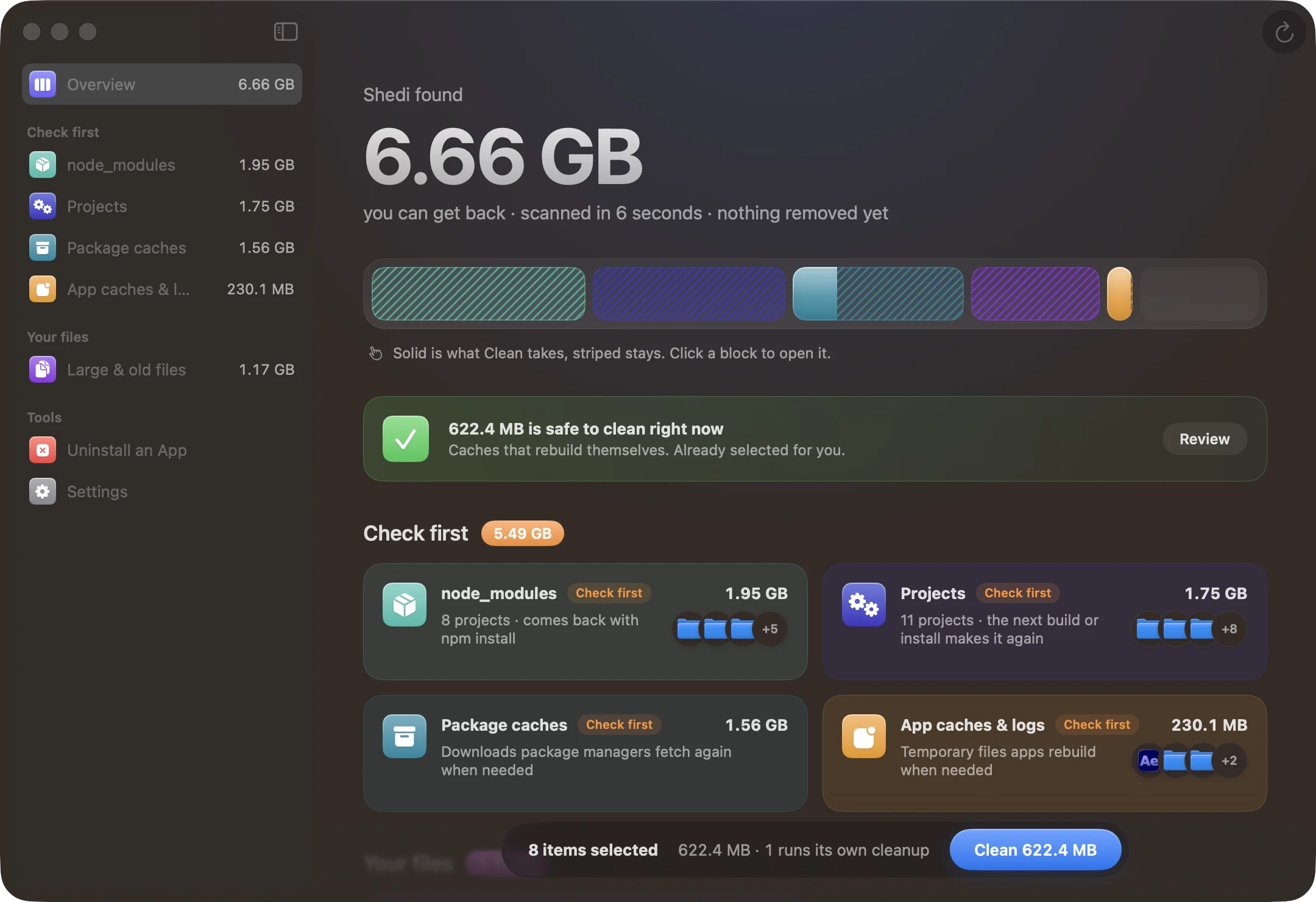
Shedi 1.1 on a real Mac: 6.66 GB found, grouped by node_modules, projects, package caches, app caches and large files

What's new:

New features

  • Cleaning is a show now: every item drops into the Box as it goes, and anything that couldn't be cleaned is spat back out.
  • New places Shedi looks: AI models (Ollama, Hugging Face, LM Studio), Android emulators and system images, project build folders (.next, .turbo, Rust target, Python .venv, Pods, Gradle), code editor leftovers (VS Code, Cursor, JetBrains), uv, Puppeteer and Conda caches, SwiftUI Previews, old installers in Downloads, iPhone and iPad backups, Messages attachments, and the Trash itself.
  • Uninstall an App is its own page: every app in Applications with search, filters (not used lately, large, App Store), sorting and when you last used it.
  • The Done screen shows your disk before and after, and a card you can share.
  • Hide anything from your results with a right-click; Settings lists what's hidden so you can bring it back.
  • A low-disk alert from the menu bar, at the threshold you choose. Appearance can be set to Light or Dark.

Refinements

  • Results are grouped by what to do: Safe to clean, Check first and Your files.
  • Click a block in the tray to open it. Solid is what Clean takes, striped stays.
  • Deleting from the Trash is almost twice as fast for folders full of small files.
  • Uninstalling can also delete from the Trash. An app's own data (Application Support, Containers) now starts unselected, and Shedi names it before removing it.

Bug fixes

  • Shedi never touches your keychains, iCloud Drive, Mail, Messages history or Photos libraries, whatever a rule finds.
  • After deleting from the Trash, Done no longer says something is still in it.
Stable

Shedi 1.0.3

1.0.3

A nicer way to move Shedi into Applications.

What's new:

Refinements

  • Opened from the disk image, Shedi now shows its own panel: the Box drops into your Applications folder, with one button to move it there.
  • If an older Shedi is already in Applications, the same panel says it goes to the Trash, instead of a second popup.
Stable

Shedi 1.0.2

1.0.2

Small things that make the first week smoother: updates and help are easier to find, and license problems explain what to do next.

What's new:

New features

  • Check for Updates is now in Settings, About and in the menu bar panel.
  • Opened from the disk image? Shedi offers to move itself to Applications, so updates and Full Disk Access work.
  • Find my key: a link to your Lemon Squeezy orders, right on the license screen.

Refinements

  • License messages say what to do next, like freeing a Mac when you reach your plan's limit.
  • Check Again re-checks a locked license without relaunching.
  • The Full Disk Access step says exactly what to switch on in System Settings.
  • Help menu: guides, privacy, refunds, and Contact Support with your app and macOS version filled in.
  • Update windows now show what's new.
Stable

Shedi 1.0.1

1.0.1

Lets you share anonymous usage counts, so I can see what to improve. Never file names, paths or your license key.

What's new:

New features

  • Share anonymous usage: counts like scans run and space freed, with sizes rounded. Turn it off any time in Settings, General. If you updated from 1.0.0, Shedi asks once and starts with it off.

Refinements

  • Turning sharing off deletes counts not yet sent and makes a new random ID.

Stable

Shedi 1.0

1.0.0

The first release. Shedi finds the space your Mac is wasting, explains every item, and cleans only what you choose.

What's new:

New features

  • Scans every place junk piles up in about 10 seconds, and explains every item it finds: what it is, whether it's safe, and whether it comes back.
  • Cleans up after Xcode: DerivedData, simulator runtimes that no longer work, old device support and archives.
  • Cleans Docker images and build cache with Docker's own commands, on this Mac's Docker only.
  • Finds every project's node_modules, with its size and when you last worked on it.
  • Clears package caches for npm, pnpm, Yarn, Homebrew, CocoaPods, SwiftPM, Cargo, Gradle, pip and Go.
  • Finds app caches and logs, one item per app, and large and old files in Downloads, Desktop and Documents.
  • Uninstalls apps along with what they left in your Library, matched by the app's ID.
  • Shows your storage in the menu bar, with what Shedi can give back.

Refinements

  • Everything goes to the Trash first, so you can put it back. An optional checkbox deletes it from the Trash for good.
  • Only items marked Safe are selected for you.
  • Keeps what's left after a clean, so you can keep reviewing without scanning again.
  • Keeps a history of every clean.
  • Updates itself with Sparkle.