Xcode and node_modules are eating your Mac.
A Mac cleaner for developers that explains every item.
Pay once. macOS 15 or later, Apple silicon and Intel.

Shedi cleans up after Xcode, Docker and node_modules, says what every item is, and deletes only what you pick.
Developer tools leave a lot behind. Shedi knows where each one keeps it, and how it comes back. Cleaner apps earned a bad name for clearing caches that refill by morning. Shedi goes after what your tools left behind for projects you stopped opening, and says which items return.
Shedi found 9.05 GB on the Mac it's built on. In 6 seconds, with nothing removed.
Shedi 1.2.0 · 14-inch MacBook Pro, M3 Pro · macOS 26.5 · 20 October 2026 · read-only shedi scan. Your number depends on what you keep.
Every item explained before anything leaves your Mac.
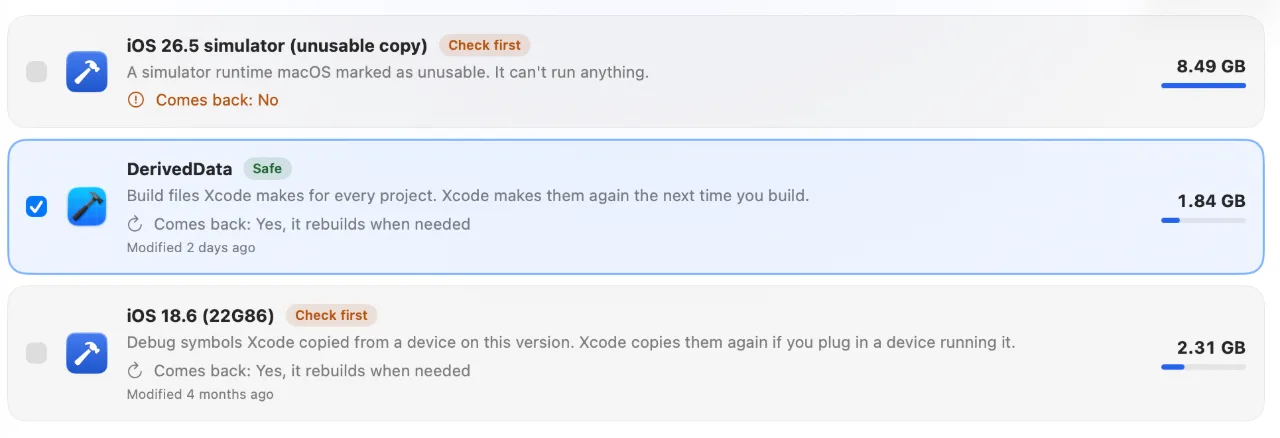
Every item says what it is, what made it, and whether it comes back.
Knows where 55 tools and leftovers live
- npm
- ~/.npm
- pnpm
- store prune
- Yarn
- cache folder
- Bun
- install cache
- Homebrew
- brew cleanup
- CocoaPods
- ~/Library/Caches
- SwiftPM
- package cache
- Cargo
- registry cache
- rustup
- old toolchains
- Gradle
- ~/.gradle/caches
- Maven
- ~/.m2/repository
- pip
- ~/Library/Caches/pip
- uv
- ~/.cache/uv
- Conda
- conda clean
- Go
- build and module cache
- NuGet
- ~/.nuget/packages
- Dart and Flutter
- pub cache
- nvm
- old Node versions
- Volta
- old Node versions
- Playwright
- test browsers
- Puppeteer
- test browsers
- Cypress
- test runner
- Android emulators
- one row per emulator
- Android system images
- per API level
- Android SDK cache
- ~/.android/cache
- JetBrains
- caches, old IDE settings
- VS Code
- caches, old extensions
- Cursor
- caches, old extensions
- Windsurf
- caches, old extensions
- .next
- build output, per project
- target
- build output, per project
- .venv
- per project
- Pods
- per project
- Ollama
- one row per model
- LM Studio
- downloaded models
- Hugging Face
- models and datasets
- Claude Code
- old plugin versions, old chats
- Codex
- chats older than 30 days, runtime
- Claude app
- caches, Cowork machine
- Git worktrees
- finished ones, per repository
- Sleeping projects
- untouched for 90 days
- npx
- packages it ran
- .build
- SwiftPM, per project
- Chrome DevTools MCP
- browser profiles
- Virtual machines
- Parallels, VMware, UTM
- DerivedData
- Xcode builds
- Simulators
- runtimes that broke
- Device support
- old iOS versions
- Archives
- you pick which
- Docker images
- unused only
- Build cache
- docker builder
- node_modules
- per project
- App caches
- rebuild themselves
- Logs
- ~/Library/Logs
- Leftovers
- from removed apps
Cleans up after Xcode, Docker and node_modules.
Developer tools leave a lot behind. Shedi knows where each one keeps it, and how it comes back.
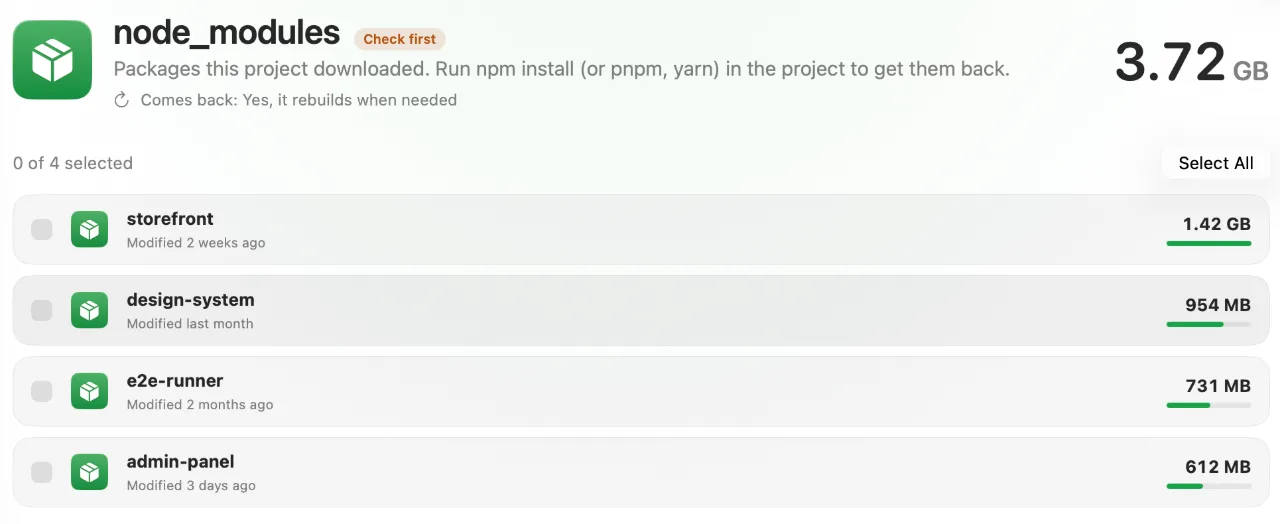
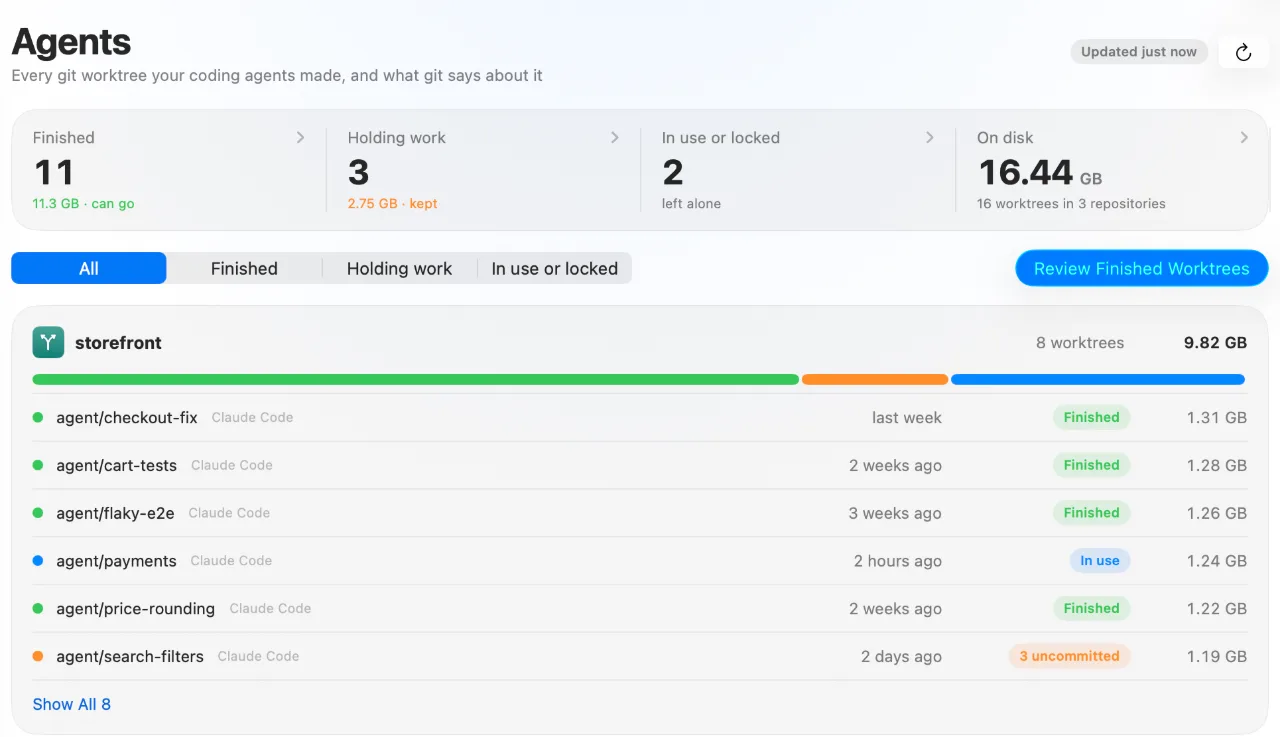
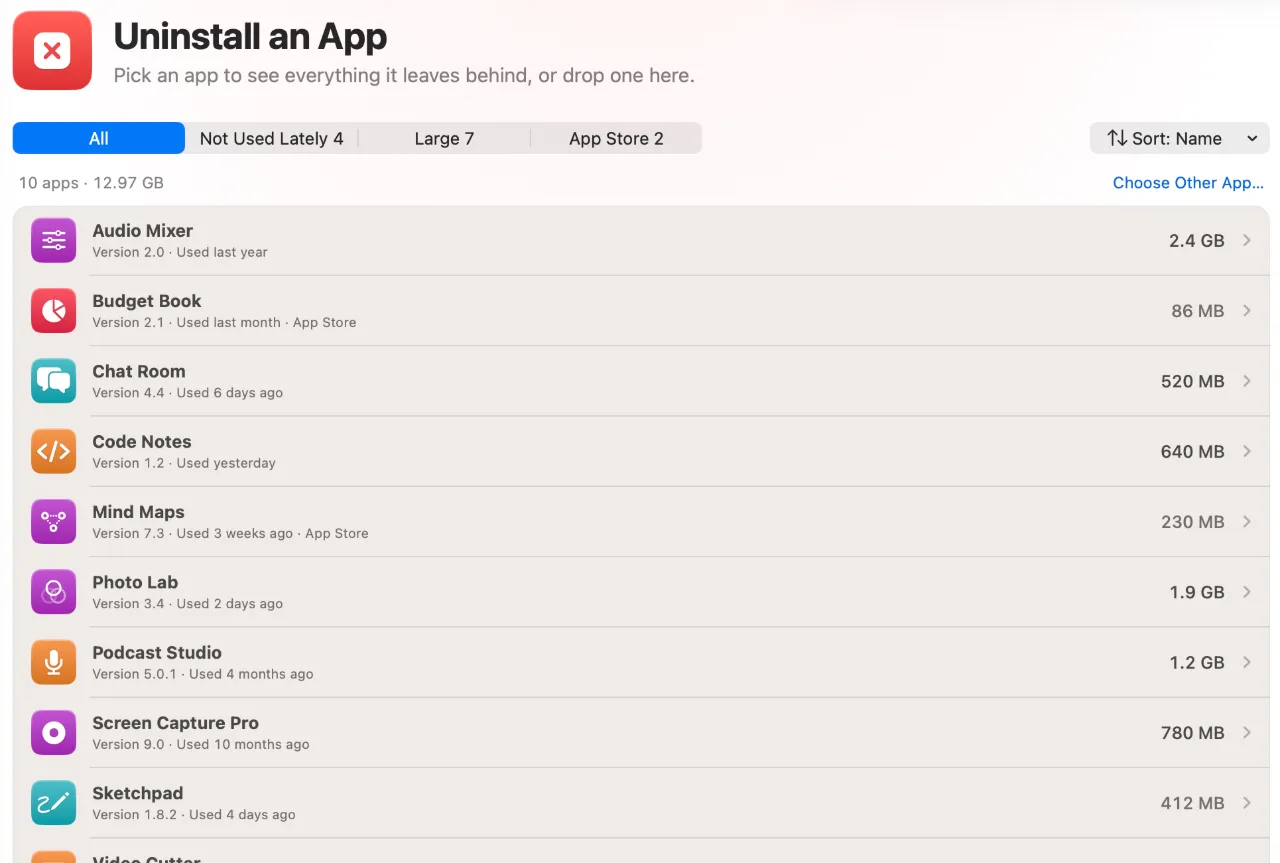
Some of it comes back. Only when you need it.
| A typical cleaner |  Shedi |
|---|---|
| Clears temp files that refill in a day | Finds build output from projects you stopped opening |
| One magic button, little to read | Says what each item is and whether it comes back |
| Can't tell a build cache from your work | Selects only Safe items; your files are never preselected |
| Talks about speed | Talks about space, which is what you get back |
Shedi never touches System files, Anything outside your home folder or Apps that are running.
Pay once for 1, 2 or 3 Macs, with free updates for life.
No subscription. Free updates for life. Pick how many Macs.
Black Friday: 55% off every plan until December 1.
 Both apps, one paymentTwo Mac apps, same maker
14-day refund, no questions · macOS 15 or later · Apple silicon and Intel
From the maker of Halo, the notch app for Mac.
Hi, I'm Otabek. I make Halo and Shedi, two small Mac apps.
My own Mac kept running out of space, and the culprits were always the same: Xcode builds, simulators, node_modules in projects I had stopped opening. Cleaner apps either missed them or wanted me to trust a single button. So I built one that shows its work.
Questions
Is it safe?
Nothing is removed until you press Clean, and you see the full list first. Files go to the Trash, so you can put them back. Nothing outside your home folder is touched, except through Docker's and Xcode's own tools and an app you drag into the uninstaller. Shedi doesn't follow symbolic links, and skips the files of apps that are still open.
What exactly does it remove?
Only what you select. Every item is marked Safe, Check first or Your files, and only Safe items are selected for you. A few things can't go to the Trash, like Docker images or broken simulator runtimes. Those are cleaned with the tool's own command, and Shedi names each one before it runs.
Why does it ask for Full Disk Access?
macOS hides app caches, logs and parts of your Library until you allow it. With Full Disk Access, Shedi can see and measure them. Without it, Shedi still works and tells you what it couldn't see. Names and sizes stay on your Mac.
Why isn't it notarized yet?
Notarization needs a paid Apple Developer membership, and my enrollment comes in November. Until then, macOS asks you to confirm the first time you open Shedi. Here's how, it takes about 30 seconds. The notarized version follows as a free update.
Can I get a refund?
Yes. Within 14 days, for any reason. Write to support@shedi.app.
Which Macs does it run on?
Any Mac with macOS 15 or later, Apple silicon or Intel. A license works on 1, 2 or 3 Macs, depending on the plan you choose.
Does it find local AI models?
Yes. Every model you downloaded with Ollama or LM Studio gets its own row, with its size and how to get it back. Ollama models are counted the way Ollama counts them, so files a model shares with another stay put. Like everything else, they go to the Trash first. The AI models guide has the commands if you'd rather do it by hand.
Doesn't it all just come back?
Some of it does, and that's fine. Package caches refill when a tool needs them again. Build output like DerivedData or .next comes back only if you build that project again. Every item in Shedi says whether it comes back, so you can skip the ones you'd rather keep.
Why pay when rm -rf works?
It does, if you know every path and which ones are safe. The free guides on this site list them. Shedi saves the looking up: one scan finds them all, sizes them, says what each one is, and moves them to the Trash instead of deleting them.
Will it make my Mac faster?
Not by itself. Shedi gives back disk space. A Mac that is nearly full can slow down when macOS runs out of room to work, so space helps then, but no cleaner speeds up a Mac that has room to spare.
Who makes it?
I'm Otabek Abdiraimov, an independent developer and the maker of Halo. Questions go straight to me at support@shedi.app.